
Follow these steps:
- 1
Open the Xardian App on your XForge Phone
If an update is available, install it before starting your setup. - 2
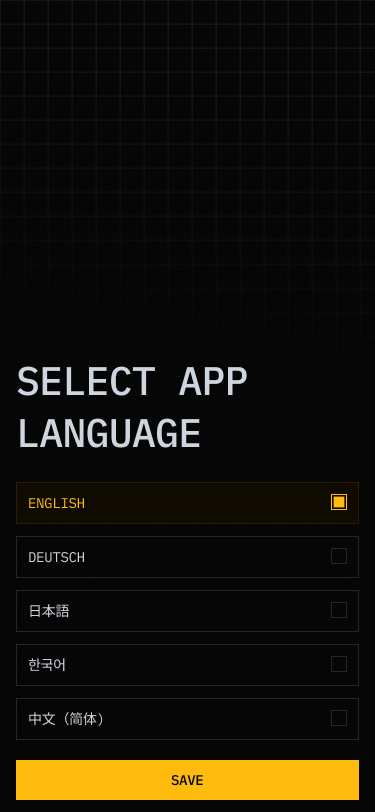
Select Language
Choose your language and save. - 3
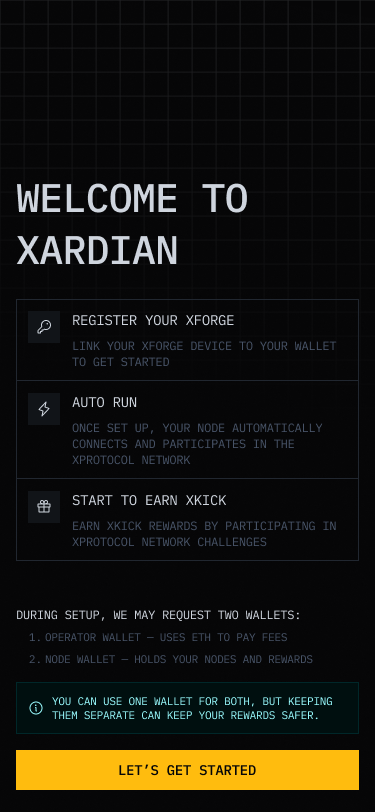
Welcome to the Xardian App
Tap Get Started to begin your node setup. - 4
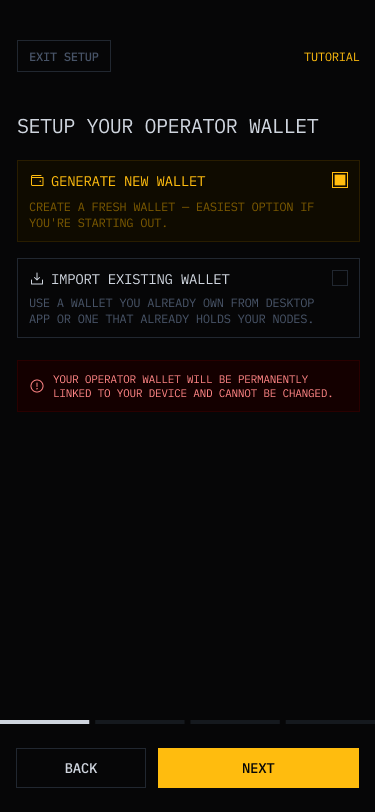
Set Up Your Operator Wallet
- Generate New Wallet — Creates a new wallet. Best for users setting up for the first time.
- Import Existing Wallet — for wallets you own or wallets already linked to your nodes.
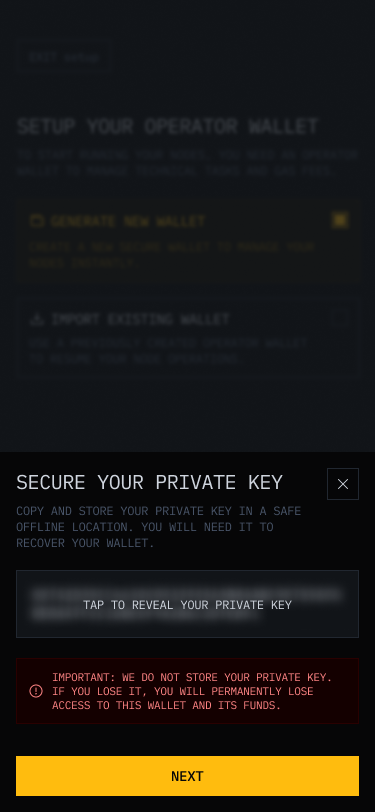
Save your private key — Never share it. We do not store it.
If lost, your wallet and funds cannot be recovered.
- 5
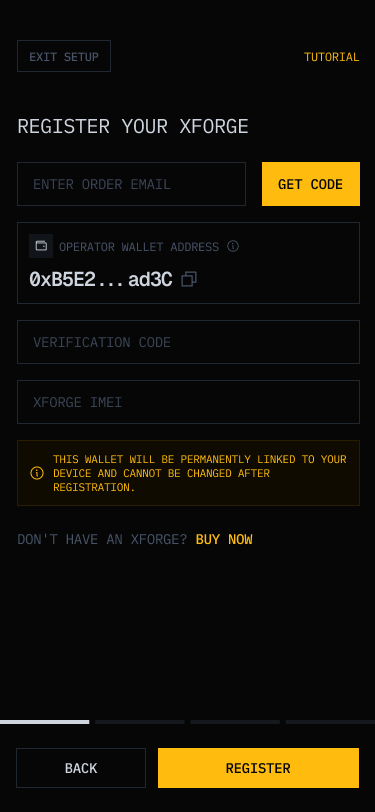
Register Your Device
- Enter the email address used to order your XForge and tap Get Code.
- Enter the verification code sent to your email.
- Enter your XForge IMEI.
- Tap Register to complete your registration.
- 6
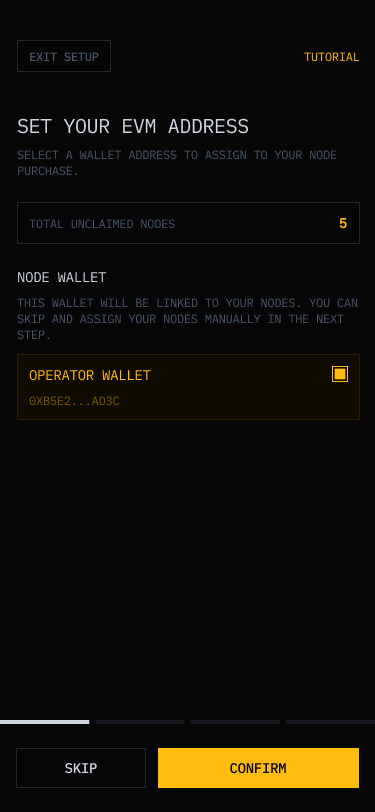
Set Wallet Address
This screen detects how many nodes you can claim and the wallet they will be linked to. Only required for first-time node claiming. - 7
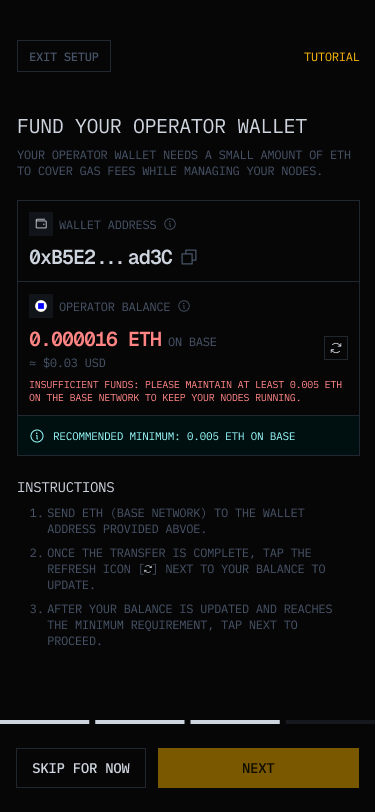
Fund your Operator Wallet
Add a minimum of 0.005 ETH on BASE to claim your nodes, keep them running, and earn rewards. You can skip this step and fund your wallet later.Balance not updated after your transfer? Tap Refresh to check again. - 8
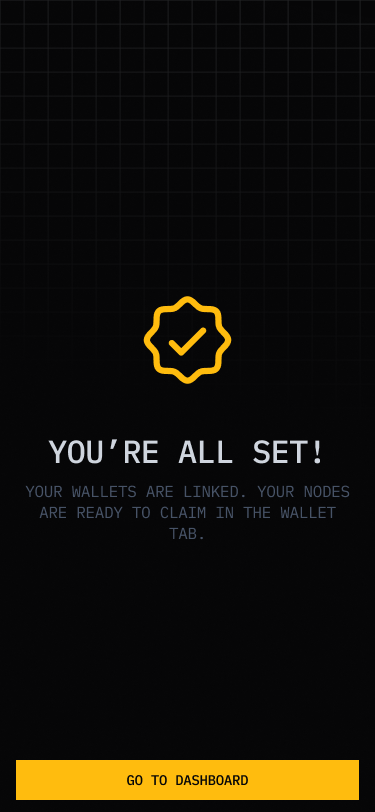
You're all set!
Your wallets are linked and your nodes are ready to claim in the WALLET tab.